Running a small business means wearing many hats. You’re the boss, the marketer, the customer support team—and often the accountant too. That’s why managing finances can quickly become overwhelming, especially when you rely on spreadsheets or outdated desktop software.
In this article, we’ll explore what cloud accounting software is, why it matters, the best features to look for, costs you should expect, and how to choose the right solution for your small business.
Let’s simplify your finances.
What Is Cloud Accounting Software?
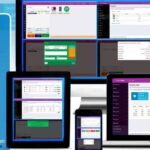
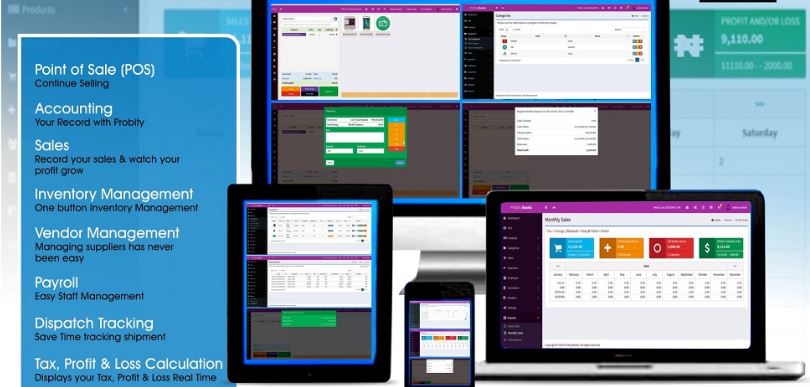
Cloud accounting software is an online financial management system that stores your business data securely in the cloud instead of on a local computer.
You access it through:
- A web browser
- A mobile app
- Any device with an internet connection
This means your financial data is always available, automatically updated, and securely backed up.
Unlike traditional accounting software, cloud accounting doesn’t require installations, manual updates, or dedicated hardware.
Why Cloud Accounting Is Perfect for Small Businesses
Small businesses need flexibility, efficiency, and clarity. Cloud accounting delivers all three.
Here’s why it’s becoming the go-to solution.
1. Access Your Finances Anytime, Anywhere
Whether you’re at home, in the office, or travelling, your books are just a login away.
This is especially useful for:
- Remote teams
- Freelancers
- Business owners on the move
2. Real-Time Financial Data
Cloud accounting updates automatically.
You always know:
- Your cash flow
- Outstanding invoices
- Expenses
- Profit and loss
No more guessing. No more outdated reports.
3. Lower Costs Compared to Traditional Software
Most cloud accounting platforms use affordable monthly subscriptions.
This eliminates:
- Large upfront software costs
- Expensive upgrades
- IT maintenance expenses
4. Easy Collaboration With Accountants
You can give your accountant or bookkeeper secure access to your data.
This:
- Saves time
- Reduces errors
- Simplifies tax preparation
No more emailing spreadsheets back and forth.
5. Automatic Backups and Security
Your data is stored securely with:
- Encryption
- Automatic backups
- Multi-factor authentication
This reduces the risk of data loss from hardware failure or theft.
Key Features of Cloud Accounting Software for Small Business
Not all platforms are the same. These features matter most.
Invoicing and Payments
Good cloud accounting software lets you:
- Create professional invoices
- Send them automatically
- Accept online payments
- Track overdue invoices
This helps you get paid faster.
Expense Tracking
Connect your bank accounts and credit cards to:
- Automatically import transactions
- Categorize expenses
- Monitor spending
This saves hours of manual data entry.
Bank Reconciliation
Cloud software matches your transactions with bank records automatically.
This ensures:
- Accuracy
- Clean books
- Fewer errors
Financial Reporting
Generate reports such as:
- Profit and loss statements
- Balance sheets
- Cash flow reports
These reports help you make smarter business decisions.
Tax Preparation Support
Many platforms help with:
- Sales tax tracking
- VAT reporting
- Estimated tax calculations
Some even integrate directly with tax filing tools.
Inventory Management (Optional)
If you sell products, inventory tracking helps you:
- Monitor stock levels
- Track cost of goods sold
- Avoid overselling
Who Should Use Cloud Accounting Software?
Cloud accounting is ideal for:
- Small business owners
- Startups
- Freelancers
- Consultants
- E-commerce sellers
- Service-based businesses
If you want better control over your finances without complexity, cloud accounting is for you.
Cloud Accounting Software vs Traditional Accounting Software
Let’s compare them clearly.
Cloud Accounting Software
- Access anywhere
- Automatic updates
- Lower upfront costs
- Easy collaboration
- Real-time data
Traditional Accounting Software
- Installed on one device
- Manual updates
- Higher upfront costs
- Limited access
- Data stored locally
For most small businesses, cloud accounting is the smarter option.
How Much Does Cloud Accounting Software Cost?
Pricing varies based on features and business size.
Typical Monthly Costs
- Basic plans: $10–$20 per month
- Standard plans: $25–$40 per month
- Advanced plans: $50–$70 per month
Many platforms offer:
- Free trials
- Discounts for annual billing
- Scalable pricing as your business grows
Best Cloud Accounting Software Options for Small Businesses
While availability depends on location, top cloud accounting tools usually share these qualities:
- User-friendly interface
- Reliable customer support
- Strong integrations
- Transparent pricing
- Solid security features
Popular platforms often cater to different needs, from freelancers to growing businesses.
How to Choose the Right Cloud Accounting Software
Choosing the wrong tool can waste time and money. Here’s how to get it right.
Step 1: Identify Your Business Needs
Ask yourself:
- Do I sell products or services?
- Do I need inventory tracking?
- Will I manage payroll?
- Do I work with an accountant?
Your answers narrow down your options.
Step 2: Check Ease of Use
Accounting doesn’t need to be complicated.
Choose software with:
- Simple navigation
- Clear dashboards
- Helpful tutorials
If it feels confusing during the trial, it won’t get better later.
Step 3: Look at Integrations
Your accounting software should connect with:
- Banks
- Payment processors
- CRM tools
- E-commerce platforms
Integrations save time and reduce errors.
Step 4: Consider Scalability
Your business will grow.
Choose software that can grow with you without forcing a full migration later.
Step 5: Review Support and Reviews
Reliable support matters when issues arise.
Look for:
- Live chat or phone support
- Knowledge bases
- Positive user reviews
Benefits of Cloud Accounting for Financial Decision-Making
Cloud accounting doesn’t just track numbers. It improves decisions.
You gain:
- Clear financial visibility
- Better budgeting
- Improved cash flow management
- Faster tax preparation
- Confidence in financial planning
Better data leads to better outcomes.
Common Mistakes Small Businesses Make With Accounting Software
Avoid these mistakes to get the most value.
- Choosing software based only on price
- Ignoring future growth needs
- Not reconciling accounts regularly
- Skipping training or onboarding
- Mixing personal and business finances
Good habits make software work better.
Cloud Accounting and Tax Compliance
Tax compliance becomes easier with cloud accounting.
Benefits include:
- Accurate record-keeping
- Automated tax calculations
- Easier audits
- Cleaner year-end reports
This reduces stress during tax season.
Is Cloud Accounting Software Secure?
Yes—when you choose a reputable provider.
Top platforms use:
- Bank-level encryption
- Secure data centers
- Regular security updates
In many cases, cloud accounting is more secure than local storage.
When Should a Small Business Switch to Cloud Accounting?
You should consider switching if:
- You rely on spreadsheets
- Your current system feels outdated
- You want real-time financial insight
- You collaborate with external accountants
- You’re scaling operations
The sooner you switch, the more time and money you save.
Future of Cloud Accounting for Small Businesses
Cloud accounting continues to evolve with:
- AI-powered insights
- Automated bookkeeping
- Improved forecasting
- Better mobile functionality
Early adopters gain a competitive advantage.
Conclusion
Absolutely.
Cloud accounting software helps small businesses:
- Save time
- Reduce errors
- Improve financial clarity
- Make smarter decisions
- Scale with confidence
It turns accounting from a chore into a powerful business tool.
If you want better control over your finances without complexity, cloud accounting software is one of the smartest investments you can make.